Save anything, keep everything.

A personal library for articles, videos, posts, repos, papers, notes, podcasts and bookmarks. The content itself is archived in your own Notion, so nothing is lost when the original disappears.

Web appiPhone & iPadBrave/Chrome extensionTelegram & emailCLI, API & MCPFree AI filingFree & MIT
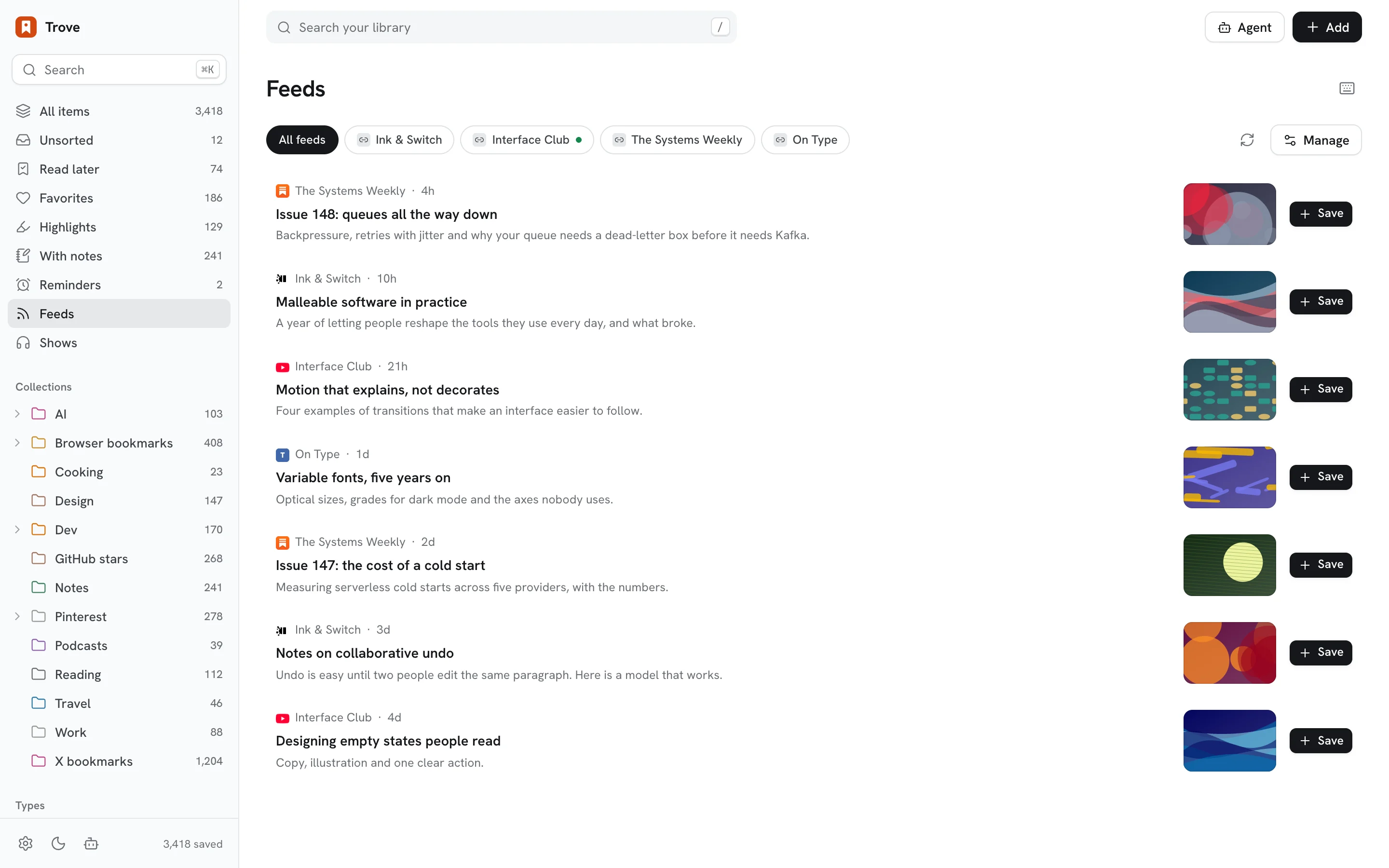
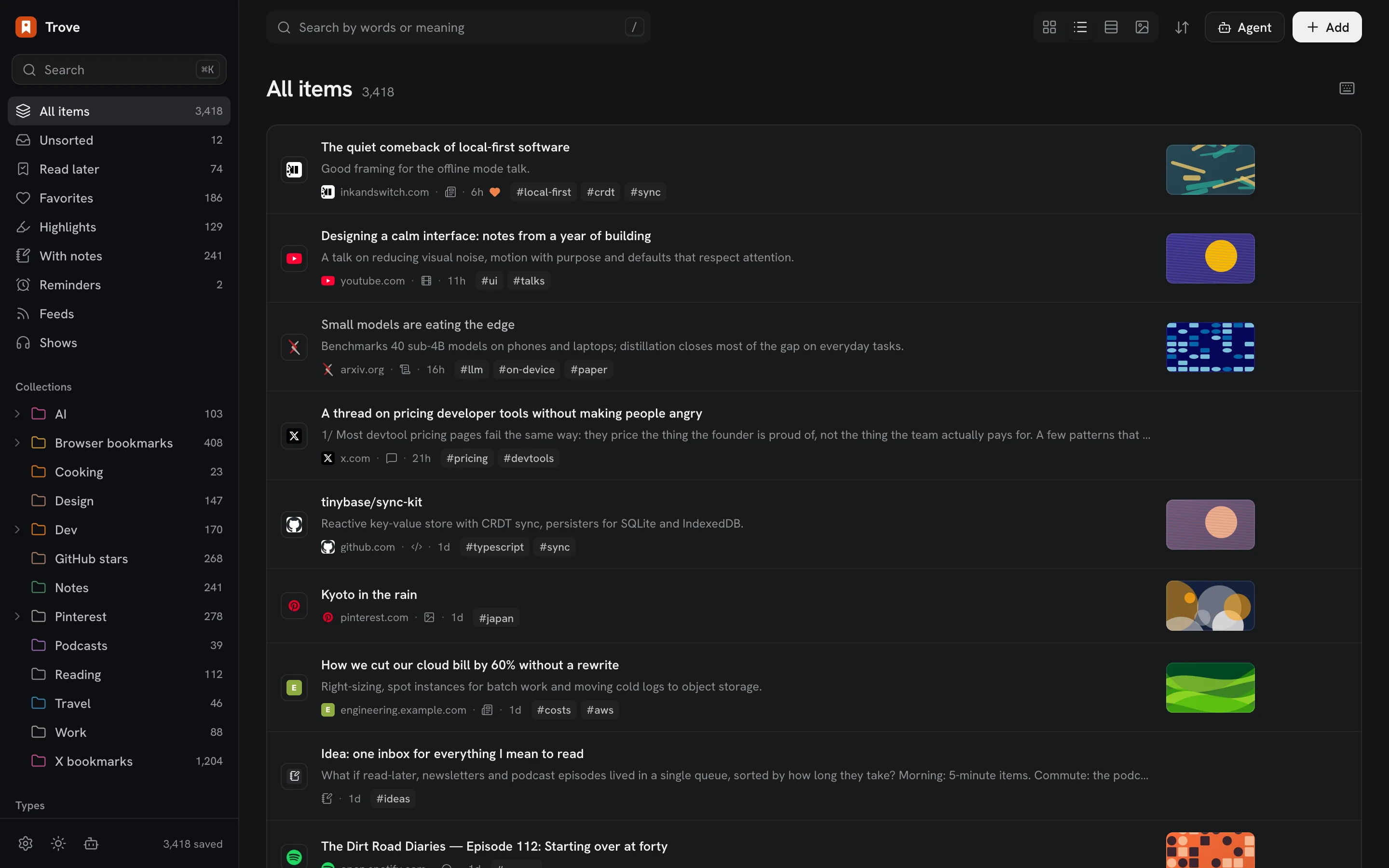
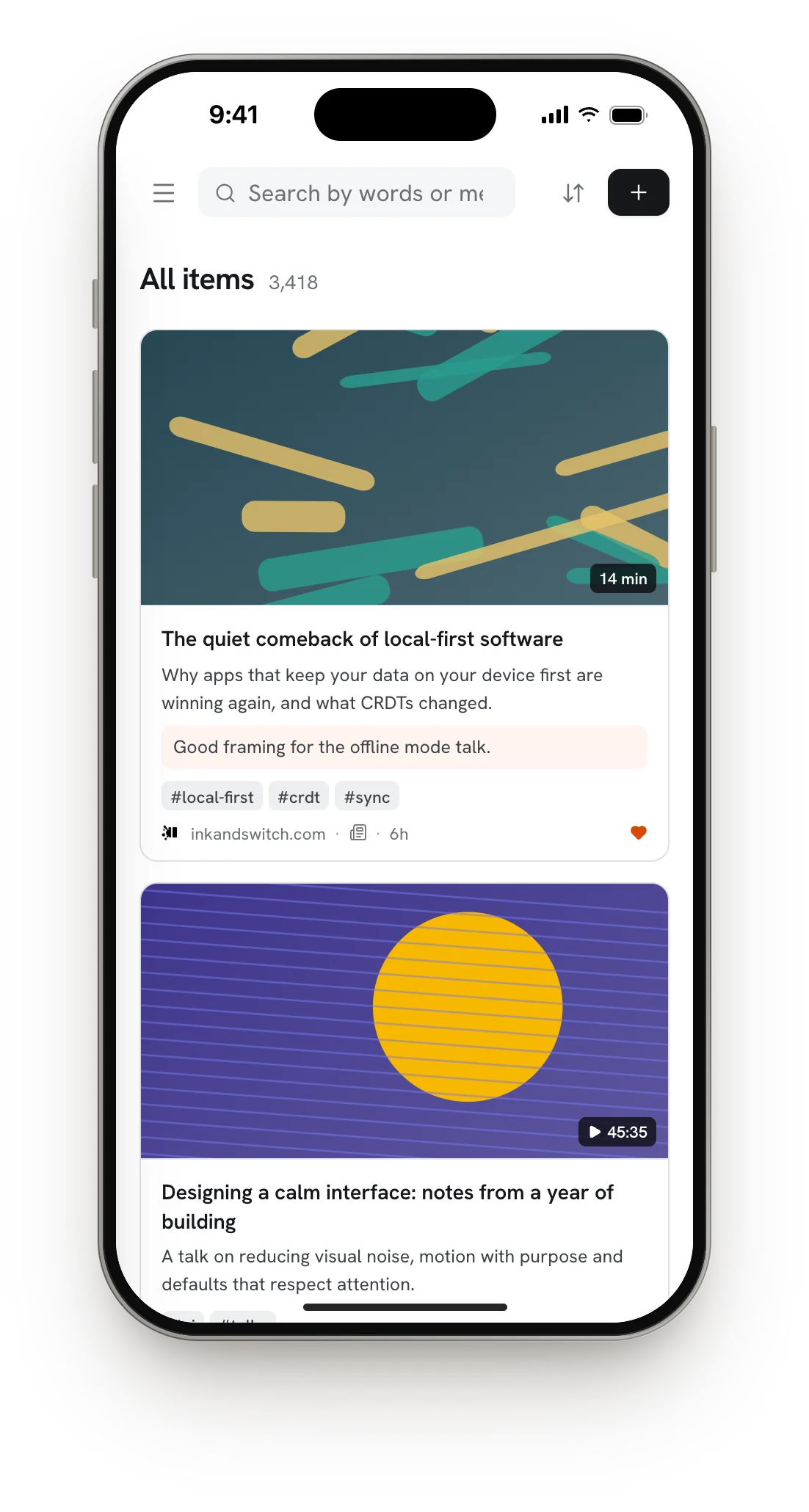
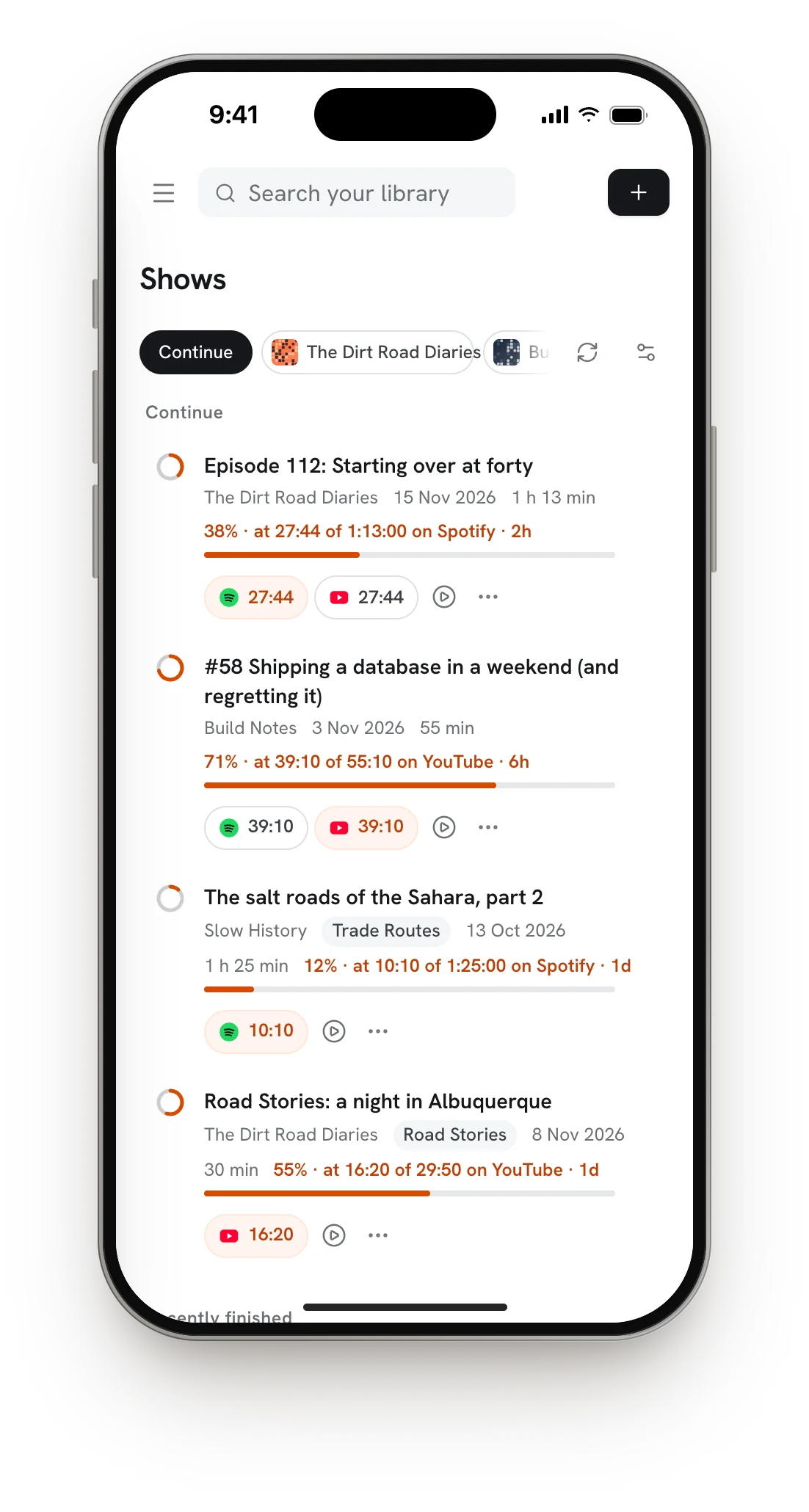
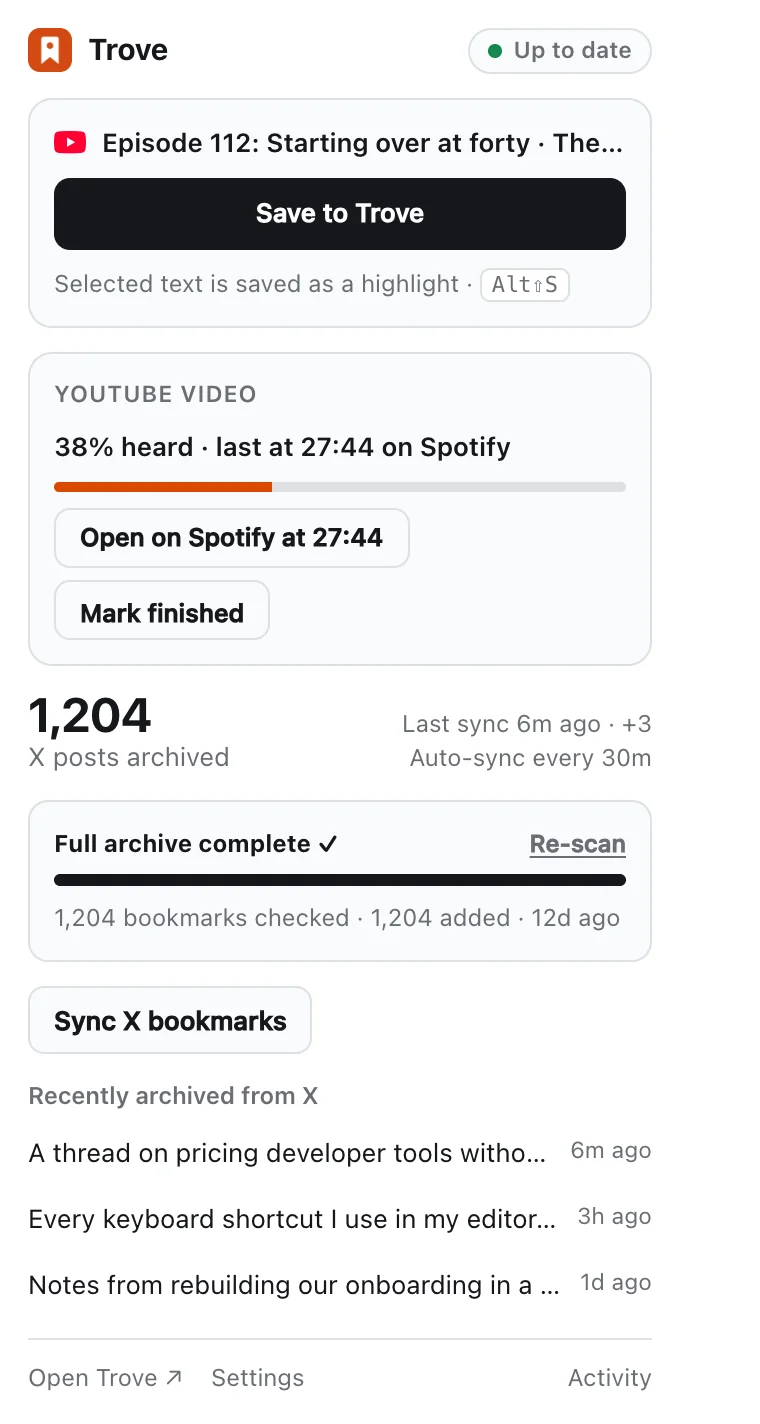
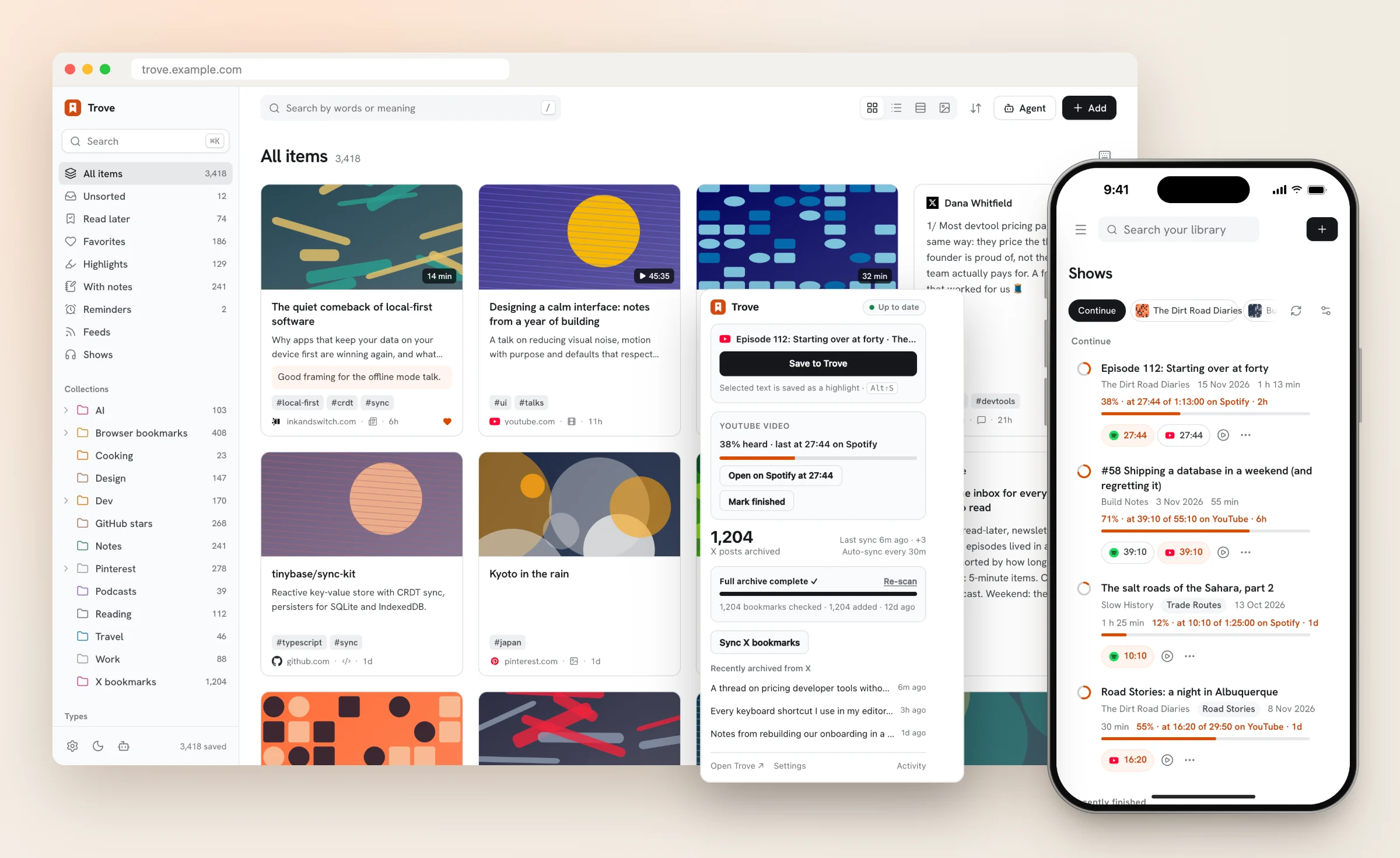
Trove's library in the browser, the extension popup and the Shows view on a phone
πŸ—„οΈ

Keeps the content

Article text, video transcripts, threads with media, READMEs, papers and a full page snapshot, not just the link.

🧠

Files itself

Free AI picks the collection and tags from your own taxonomy, writes a summary and reads text in images.

πŸ”Ž

Finds by meaning

Search with words or operators, or ask a question and get an answer written from your saves, with sources.

πŸ”“

Yours, and free

One Notion database you own and can edit. Runs on free tiers of Vercel, Notion and Cloudflare.

A quick tour

Screenshots use a fictional sample library.

Library

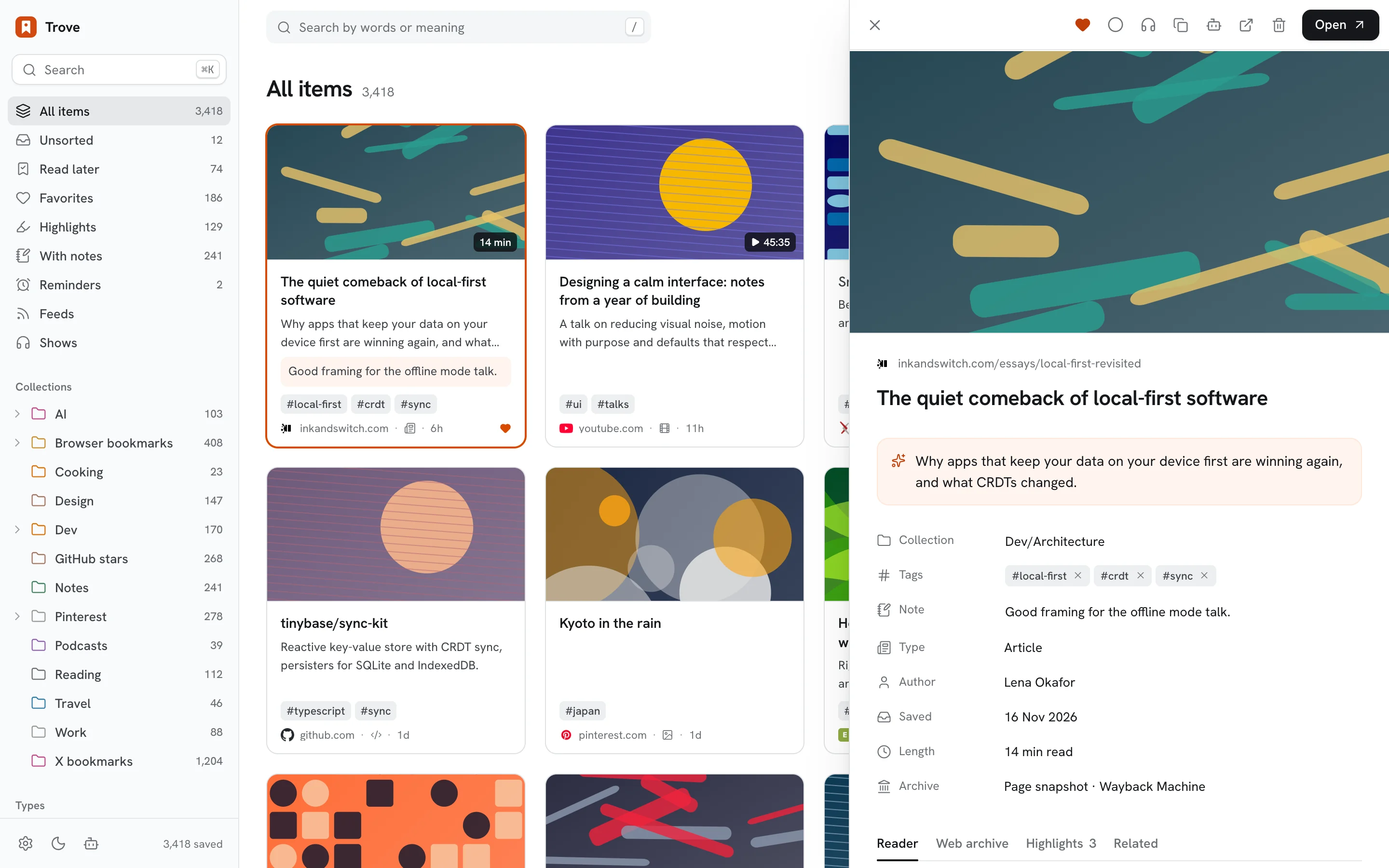
Everything in one place, organized like you'd want

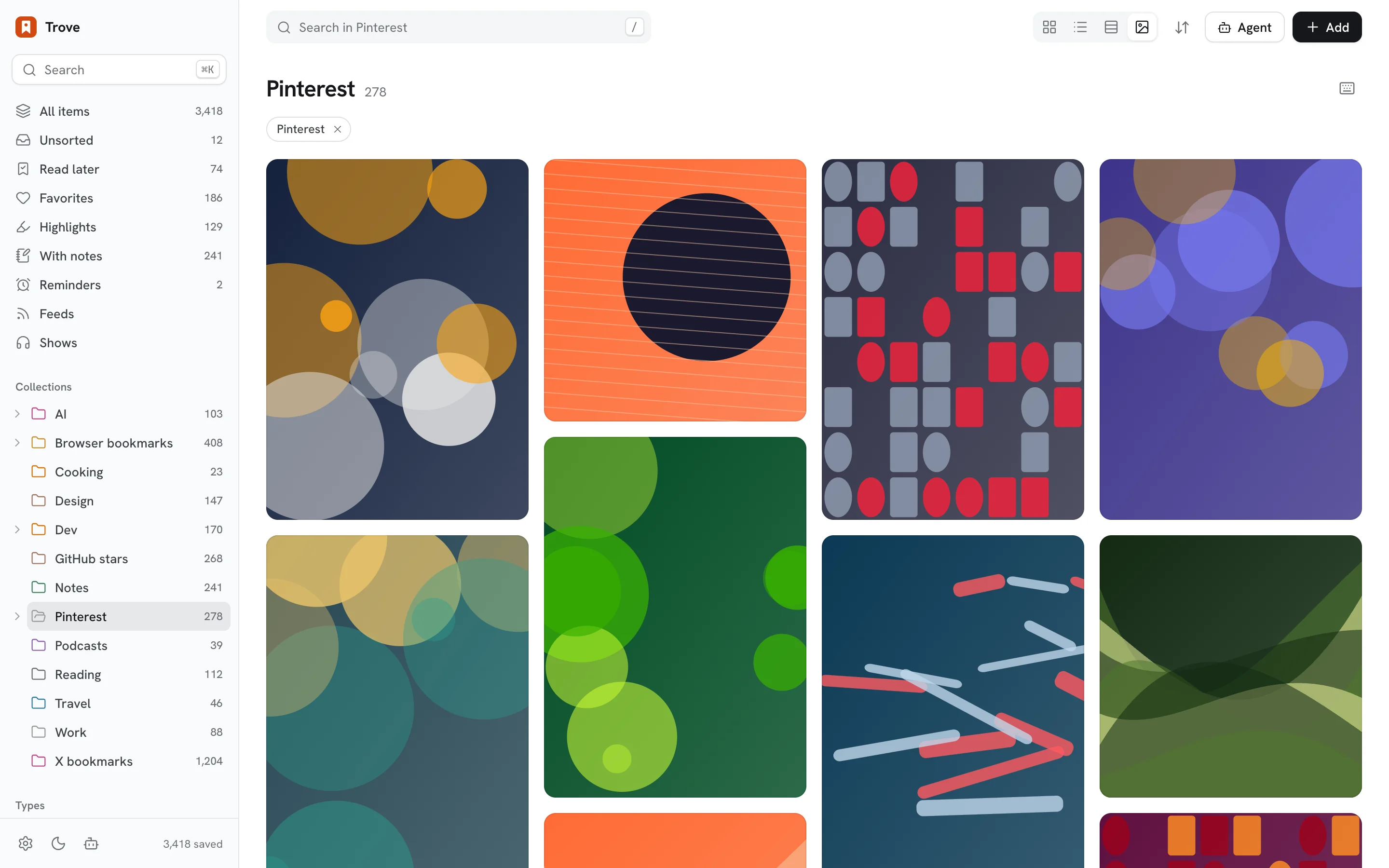
Nested collections, tags, favorites, read later, notes, highlights and reminders. Cards, list, headlines or moodboard, light or dark, and keyboard-first.

  • Never a duplicate: links are normalized and saves merge.
  • Broken-link checks, with the archived copy one click away.
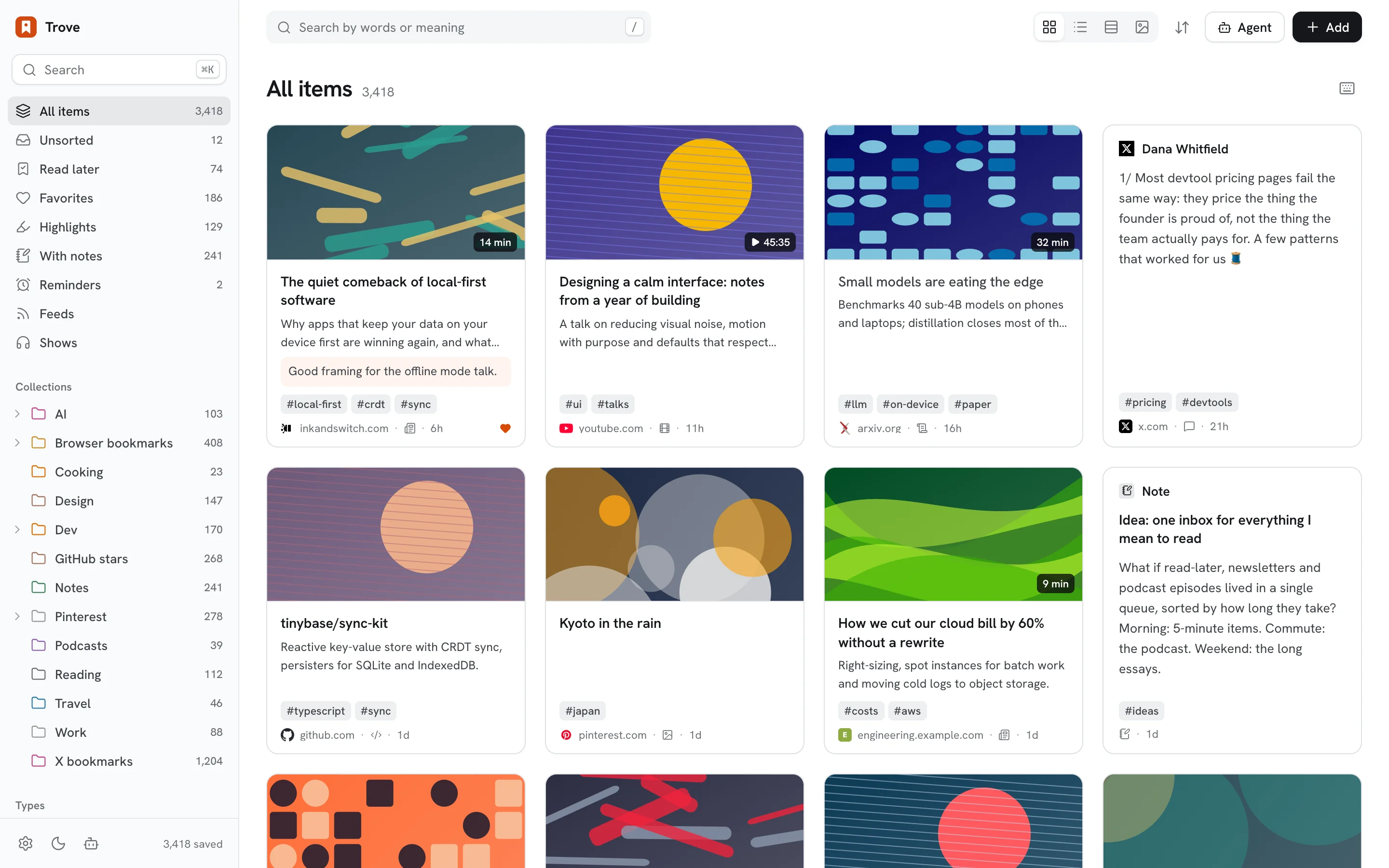
Library in cards view
Reader

Read it later, even after it's gone

The archived text in a calm reader, with highlights and notes, listen aloud, and reading progress that syncs across devices. Every page also gets a snapshot and a Wayback Machine capture.

The reader panel
Ask & search

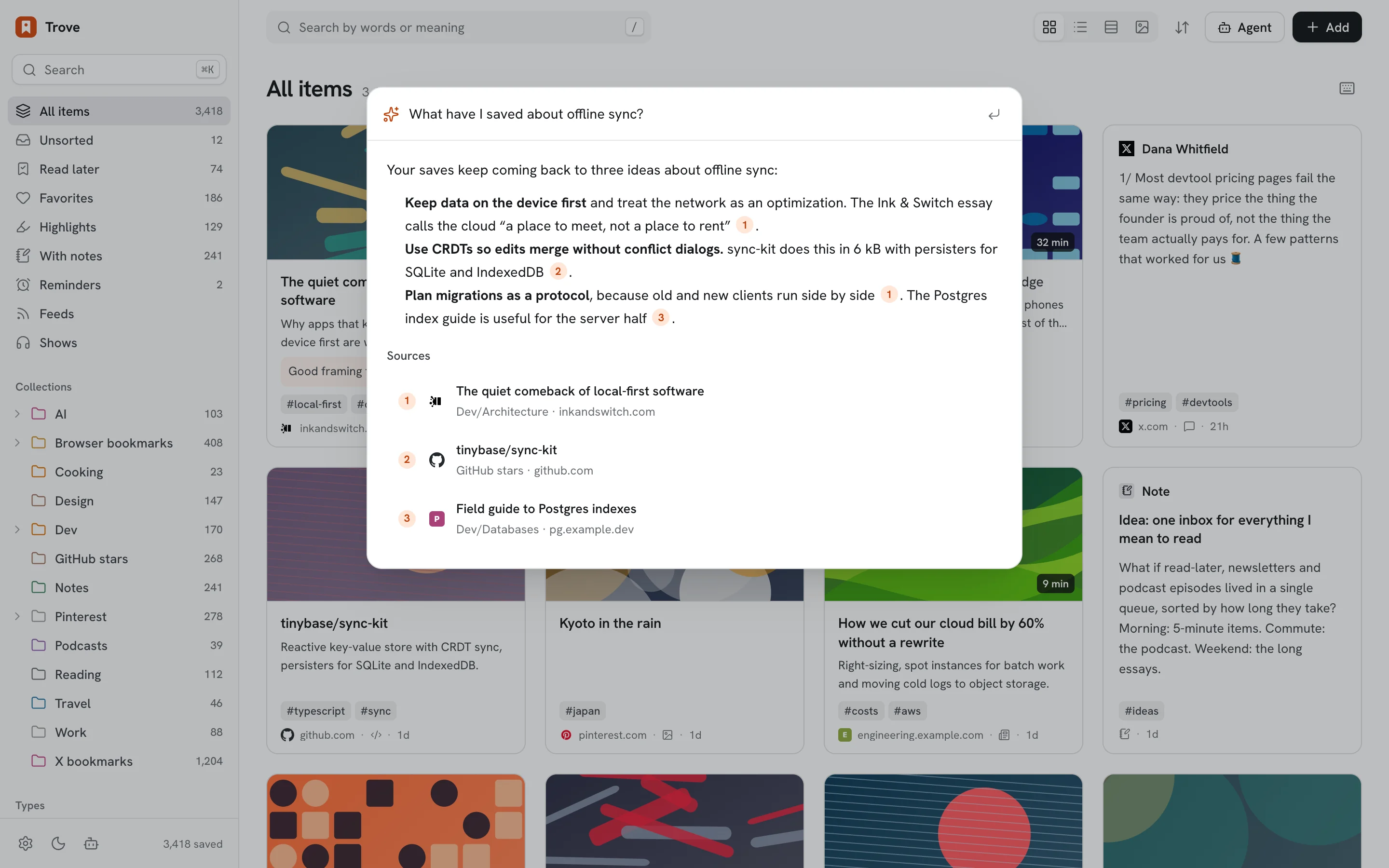
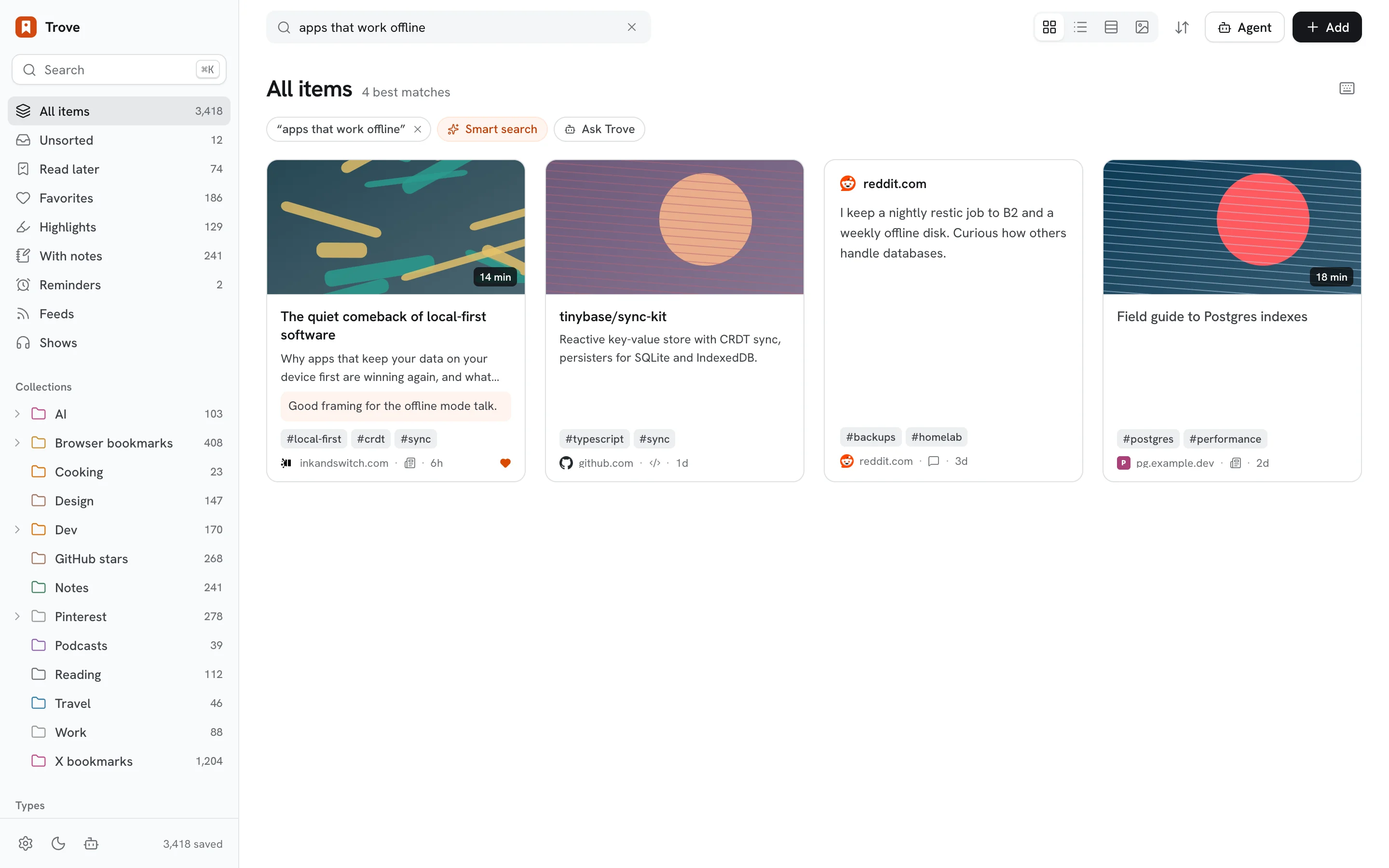
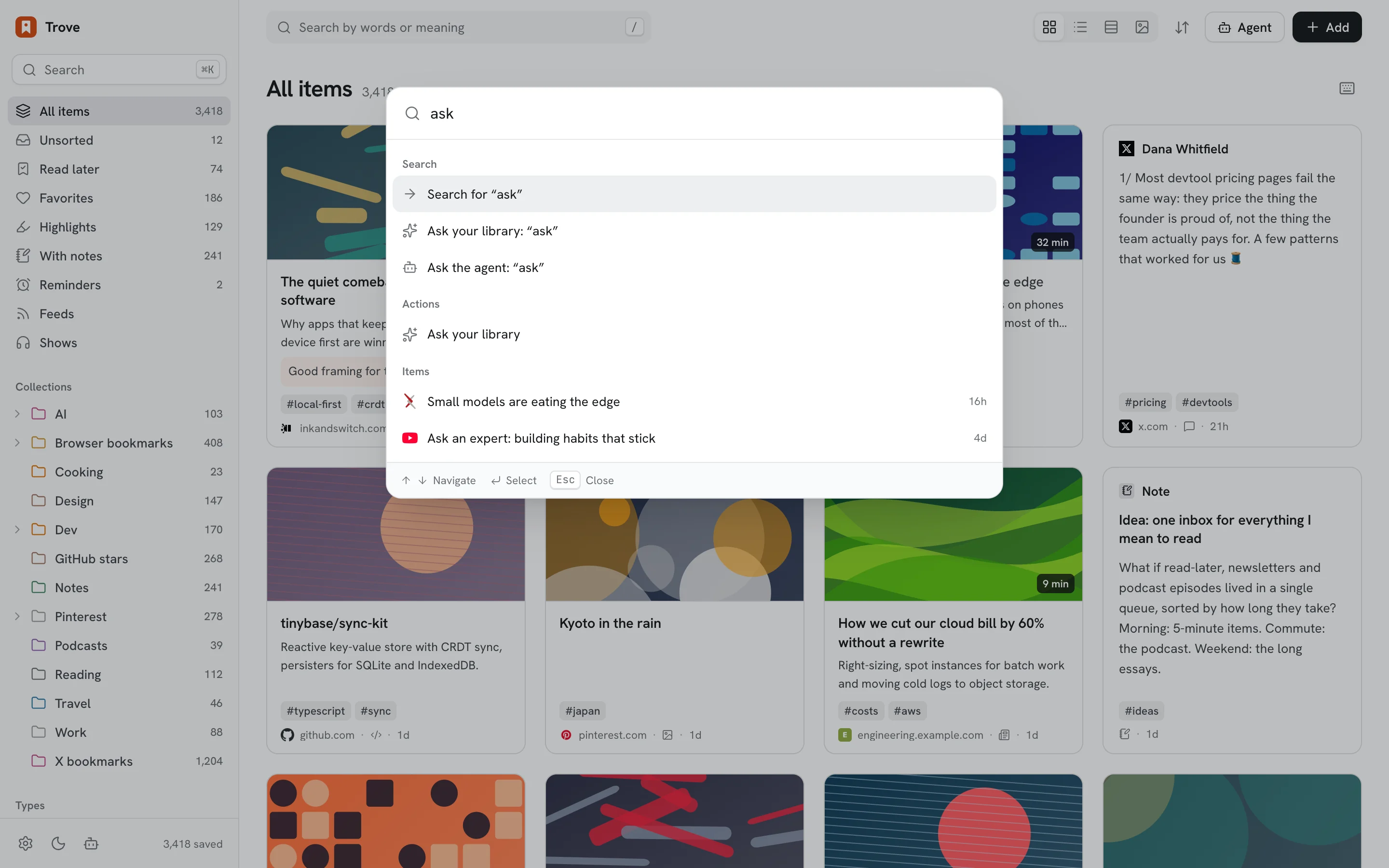
Ask your library a question

β€œWhat have I saved about offline sync?” gets an answer written from your own saves, with numbered sources. Plain sentences in search match by meaning, not just words.

Ask panel answering from saved items
Shows

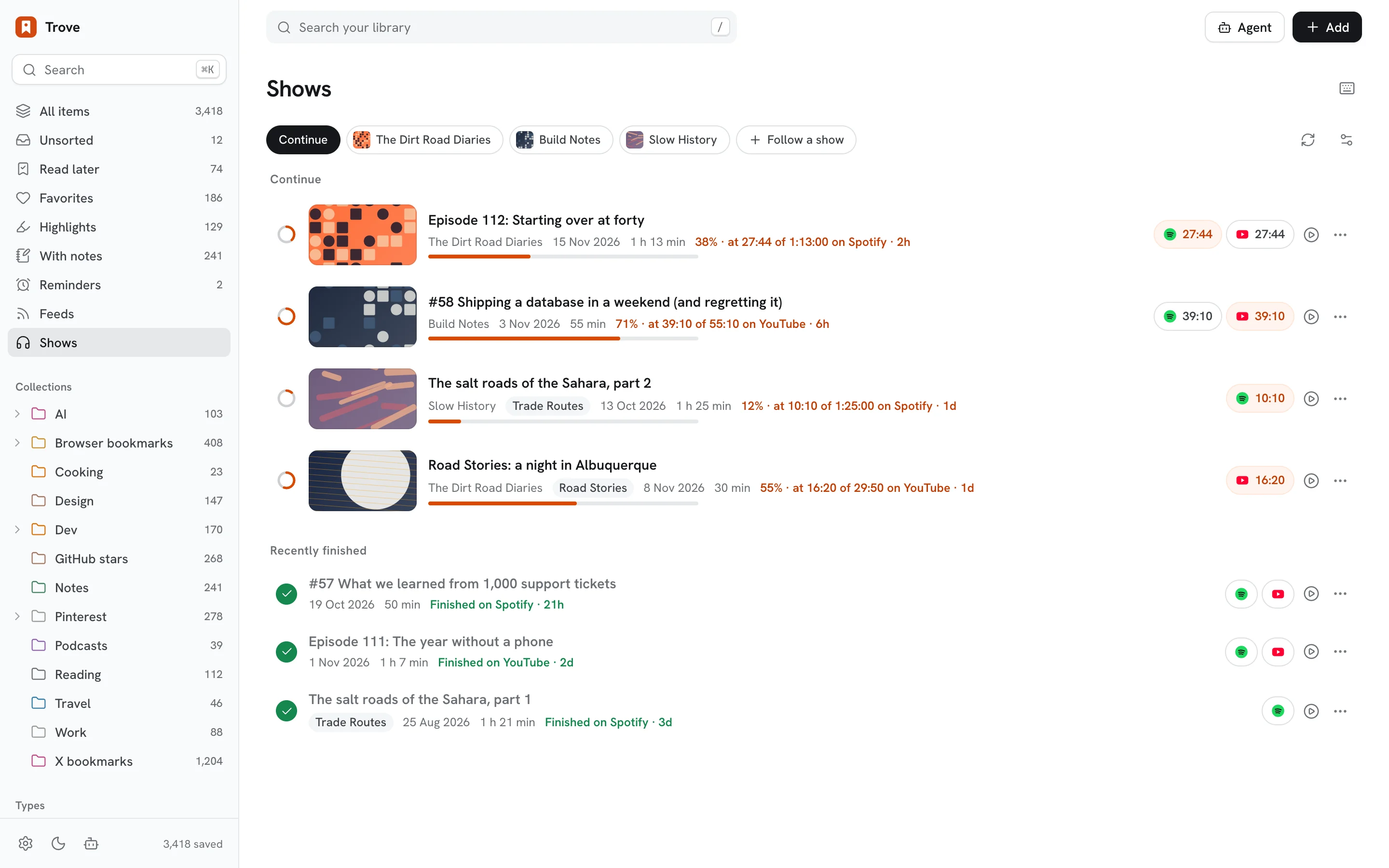
Never lose your place in a podcast

What you watch on YouTube and listen to on Spotify, on any device, in one record per episode: what you actually played, where you stopped, and whether you finished. No Premium, no API keys.

Shows: episodes in progress across YouTube and Spotify

On your phone, in your browser

An installable web app and a native iPhone/iPad app, plus an extension that saves the page you're on and tells you where you left off in a video.

Library on a phone Shows on a phone Browser extension popup

Save from everywhere

Everything lands in the same library.

🌐 Web appPaste anywhere, drop a link, or press N.
🧩 ExtensionPages, highlights, bookmarks, X bookmarks, Pinterest.
πŸ“± Share sheetFour Shortcuts for iPhone, iPad and Mac.
✈️ TelegramSend or forward anything to your bot.
βœ‰οΈ EmailNewsletters become articles.
⌨️ CLI & APIFor scripts and AI agents.
πŸ“‘ FeedsRSS, Substack, YouTube channels.
⭐ GitHub starsSaved with their README.
For AI agents

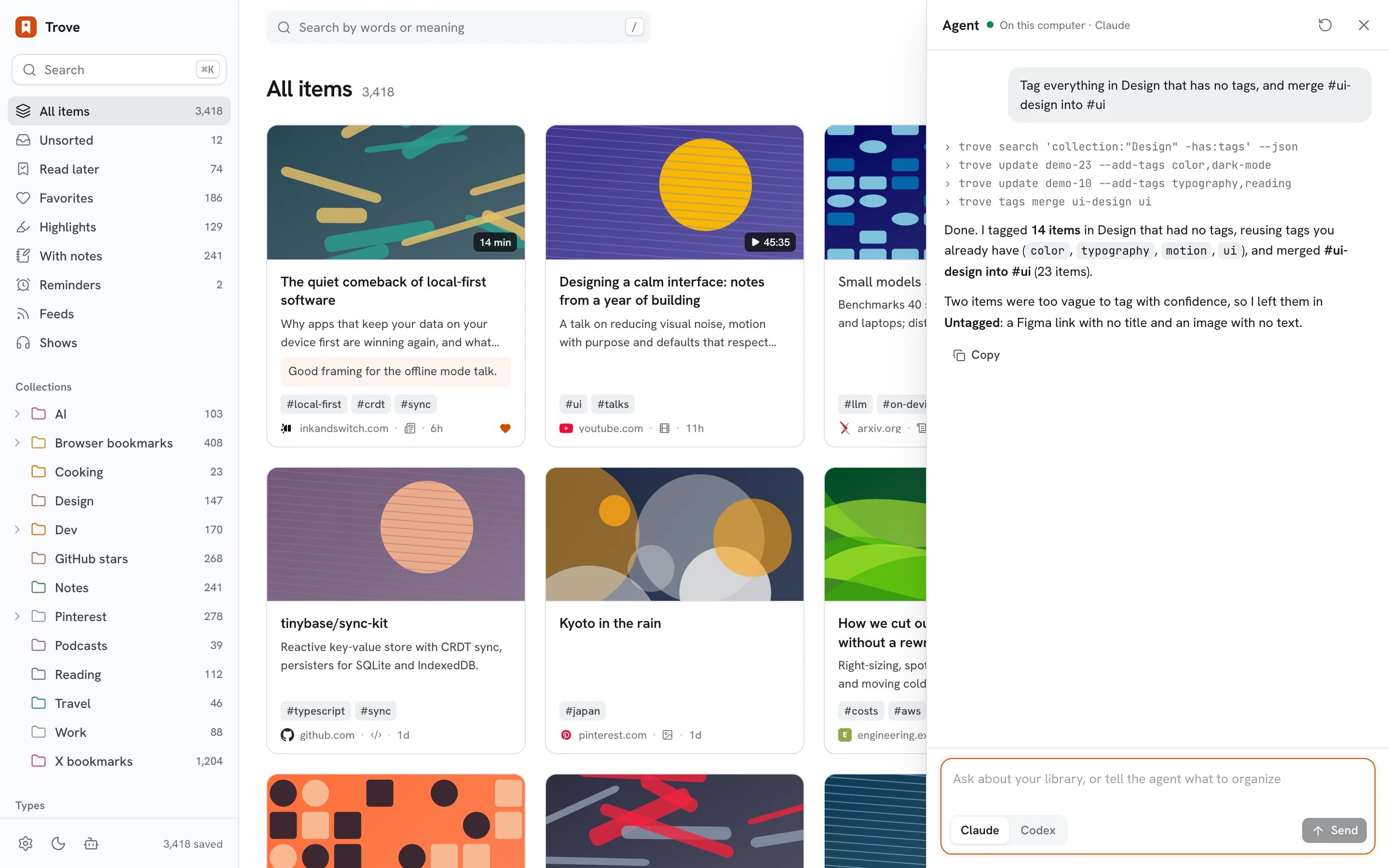
Built to be driven by agents

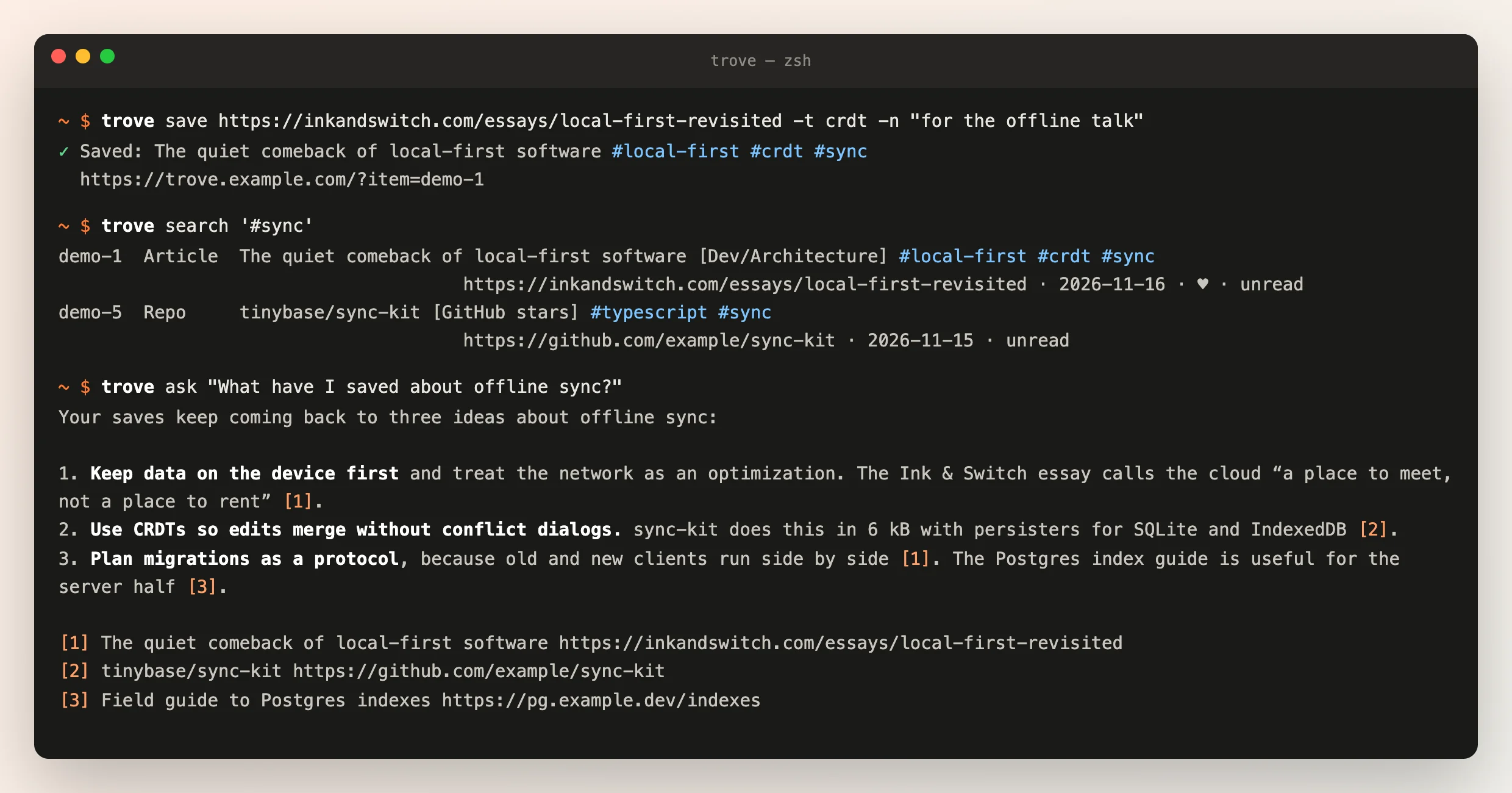
Anything that can run a command or make an HTTP request can save to Trove and search it: the trove CLI, a REST API with OpenAPI docs, and an MCP server. Agents can upload images, video and documents too.

npm install -g github:medpar/trove
trove save https://example.com -t ai
trove ask "what did I save about pricing?"
The trove CLI: save, search and ask

Get started

Self-host it in a few minutes on free tiers. Full instructions are in the README.

  1. Notion: run node scripts/setup-trove.mjs to create your database.
  2. Vercel: deploy the web/ folder with your Notion token, a password and API keys.
  3. Extension: download the latest release, open chrome://extensions, turn on Developer mode and load it unpacked. Paste your app URL and key.
  4. Optional: free AI on Cloudflare Workers AI, Shortcuts, Telegram, email, Shows and nightly backups.